
Heading Checker & H1-H6 Outline Analyzer
Last updated:
Run a source-level H1 checker, H1/H2 tag checker, and heading extractor in one report. Inspect native and ARIA headings, accessible names, anchors, page regions, duplicate text, hidden states, and title-to-H1 alignment.
Enter a public page URL to extract its complete heading outline.
Source HTML only: JavaScript is not run and external CSS is not evaluated.
Found issues? That’s exactly what our SEO audit fixes.
Our SEO Audit + Essentials package ($555, one-time) finds and fixes exactly these kinds of problems, with a prioritized plan in plain English.
Looks clean here. How is the rest of your SEO?
One passing check doesn’t make a ranking strategy. We audit the full picture: content, technical SEO, internal links, and search intent.
Want us to act on this result? Fix these findings →
Prefer the partnership route? Refer clients to us, earn 10% →
How the Heading Tag Analyzer Works
The checker turns fetched source markup into an inspectable H1-H6 outline:
- Fetch source HTML, request the public URL without executing client-side JavaScript.
- Extract heading elements, parse native H1-H6 tags and role="heading" elements in document order with a real HTML parser.
- Resolve useful context, decode entities, approximate accessible names, and report levels, IDs, anchors, landmark regions, and source-detectable hidden states.
- Review the outline, inspect empty names, repeated text, level jumps, ARIA level problems, and title-to-H1 wording without treating heuristics as universal validity rules.
- Share the evidence, copy a readable outline or export the complete heading inventory as CSV.
Why a Clear Page Outline Matters
Headings label sections and communicate relationships between topics. A useful audit considers structure and context together:
- Navigation, many screen-reader users move between headings instead of reading every line in sequence.
- Comprehension, descriptive headings help all readers scan, predict, and return to relevant sections.
- Content interpretation, search and answer systems can use headings as one of many signals for section topics and page organization.
- Reusable regions, navigation, main content, sidebars, and footers can each contribute headings, so region context is important when reading source order.
- Debugging, IDs, direct anchors, accessible names, and native-versus-ARIA labels make findings easier to locate and discuss with developers.
Pair this report with the Meta Tag Checker, Accessibility Checker, and Keyword Extractor for broader page evidence.
How to Review H1-H6 and ARIA Headings
Use the output as a map, then inspect the rendered page and accessibility tree before changing markup:
- Start with purpose, confirm the page has a clear top-level topic. One descriptive H1 is a common, understandable pattern, but multiple H1s are not automatically invalid.
- Represent nesting, choose ranks for section relationships rather than visual size. WAI advises avoiding skipped ranks when opening a subsection and allows ranks to close when a subsection ends.
- Prefer native HTML, use H1-H6 where possible. When role="heading" is necessary, provide a positive aria-level so assistive technology receives the intended rank.
- Name every heading, empty headings and headings hidden from the accessibility tree cannot label a section for screen-reader navigation.
- Interpret repetition by region, the same label may be confusing in main content but intentional across repeated cards, navigation, or related-content modules.
- Verify runtime behavior, check client-rendered pages in browser developer tools because this source analyzer cannot see headings inserted by JavaScript or class-based visibility from external CSS.
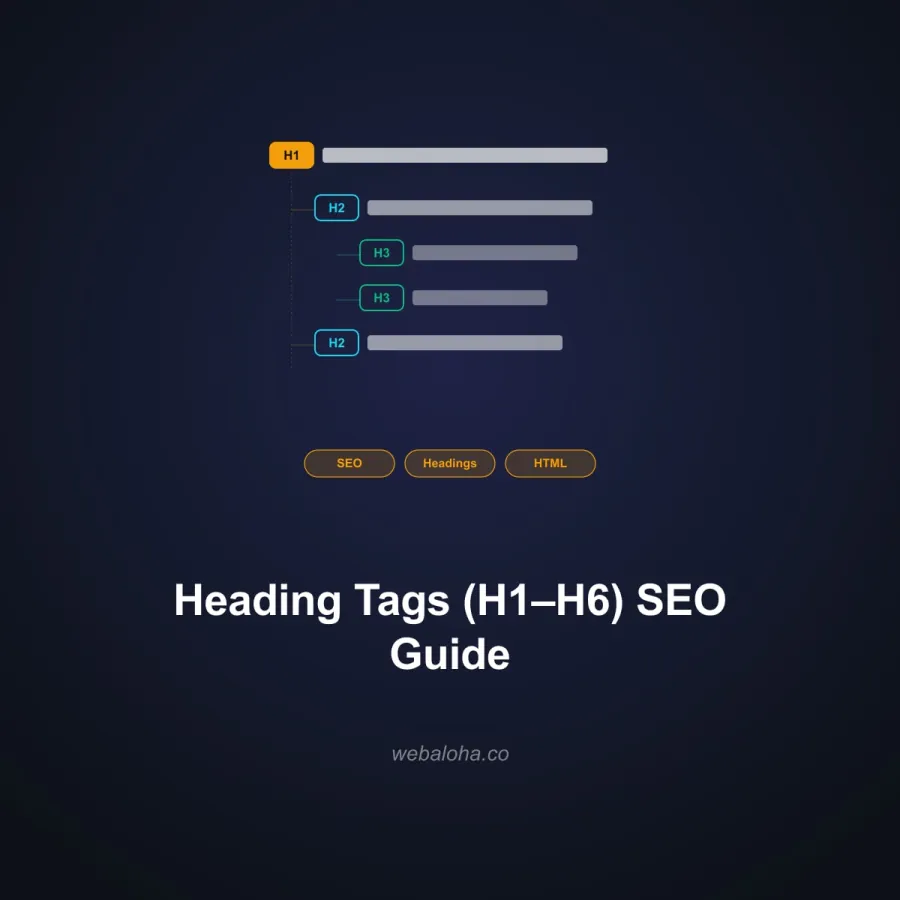
For more examples, read the guide to heading tags and page outlines.
Next steps
Heading Checker related tools and articles
Continue with the closest follow-up checks and guides based on this tool's topic, crawl intent, and optimization workflow.


Heading Checker & H1 Tag Analyzer: FAQ
What does the heading checker extract?
Is this also an H1 and H1/H2 tag checker?
Is more than one H1 always invalid?
Is a skipped heading level always an accessibility failure?
How are ARIA headings analyzed?
How does the checker determine heading text?
Can the checker see headings created or hidden by JavaScript and CSS?
Should the title tag and H1 be identical?
Free 48-Hour Website Audit
Not sure what to fix first on your own website? We'll review it and tell you, in plain English. Free & non-obligatory.
Need Help with On-Page SEO?
We improve content structure, page intent, accessibility, and on-page search signals without reducing the audit to a single heading rule.