
WordPress PHP Upgrade Readiness Checker
Last updated: What’s new
Turn a WordPress Site Health export and plugin inventory into an honest upgrade-risk report. See core conflicts, unknown compatibility, evidence gaps, and the exact staging tests to run before changing PHP.
Local-first risk triage
Build your upgrade-readiness report
Your pasted report stays in this browser. The optional public-metadata lookup sends only Site Health plugin slugs and names.
We fix this
We upgrade & secure WordPress sites, safely.
Get help assessing WordPress compatibility, backups, testing and a rollback plan. One-off upgrade work is scoped separately from ongoing care.
Stack looks healthy. Want it kept that way?
WordPress care plans start at $49/mo. We assess one-off compatibility and upgrade work separately before agreeing the scope.
More options Send us this result or get a copy by email
How the WordPress PHP Compatibility Check Works
This is a decision-support tool, not a source-code scanner. It combines evidence that a browser can evaluate honestly:
- Parse your own Site Health export. It extracts versions, plugin inventory, theme details, PHP memory, HTTPS, debug mode, and multisite signals when present.
- Check WordPress core against the official compatibility matrix. A target PHP version that WordPress core does not support is treated as a blocker. A combination the table does not list yet, such as a newer WordPress release, is reported as not listed: neither a pass nor a fail. Our copy of the table was last reviewed on 17 October 2026.
- Separate evidence from assumptions. A declared minimum PHP version does not prove compatibility with a newer target. Unverified public, premium, and custom code stays marked unknown.
- Weight operational risk. Missing staging, an untested restore, custom PHP, existing errors, checkout, memberships, and background integrations all change the recommendation.
- Generate a controlled test plan. The result prioritizes blockers, inventory gaps, and the workflows your staging test must exercise before production.
Why PHP Upgrade Readiness Is More Than a Version Lookup
WordPress core can support a PHP branch while one payment gateway, abandoned add-on, theme function, or private integration still fails. That is why a URL-only detector and a green core matrix cell are not enough.
- Security lifecycle: PHP branches leave active and then security support on the official PHP support schedule. Staying on an end-of-life runtime leaves newly discovered PHP issues without upstream fixes.
- Ecosystem uncertainty: WordPress.org metadata commonly states the lowest PHP version required. It rarely proves the highest version tested across every code path.
- Conditional failures: a homepage may render while checkout callbacks, scheduled exports, admin editors, image processing, or emails fail.
- Recovery readiness: a complete files-and-database backup is only useful when the team knows where it is and can restore it within an acceptable window.
Start by checking for a publicly exposed runtime clue with the PHP Version Checker, then confirm the actual version in Site Health or your hosting panel before using this report to plan a production-like staging test. If long-term PHP and plugin upkeep is the underlying problem, compare the site against our WordPress to Astro migration assessment.
Evidence Levels Used in the Report
Compatibility evidence is not binary. The tool keeps stronger observations separate from weak signals so that an unknown is never presented as a pass.
| Evidence | What it tells you | What it cannot prove |
|---|---|---|
| WordPress core matrix | Core is officially listed with the PHP branch. | Themes, plugins, custom code, or production workflows. |
| Declared minimum PHP | The plugin refuses or does not support versions below that floor. | That it works on every newer PHP release. |
| Vendor confirmation | The vendor claims support for a target branch. | Your exact plugin combination and configuration. |
| Automated code scan | Known syntax, removed APIs, or standards violations may be found. | Runtime behavior, integrations, and unexecuted edge cases. |
| Production-like staging test | Your actual stack and workflows ran on the target branch. | Every future input or traffic condition, so monitoring remains necessary. |
A Safe WordPress PHP Upgrade Sequence
- Inventory WordPress core, the active theme, mu-plugins, snippets, all active plugins, server extensions, and critical business flows.
- Update and clean up the existing stack before changing PHP. Replace abandoned components rather than carrying them forward blindly.
- Create a complete, current files-and-database backup and prove the restore process.
- Clone production to isolated staging, including realistic configuration and safe sandbox credentials for external services.
- Change only the staging PHP version, clear caches, and exercise the report’s test checklist while reviewing PHP and WordPress logs.
- Fix root causes, repeat the tests, schedule the production change during a low-risk window, and keep rollback access ready.
- After deployment, verify uptime, forms, payments, cron, email, analytics, search visibility, and logs, not just the homepage.
WordPress itself advises creating a complete backup before upgrades. For version-specific context, read our WordPress 7 PHP compatibility guide and required PHP extensions for WordPress.
Turn Unknown Compatibility Into a Test Plan
Illustrative review: an authenticated report identifies the web PHP branch, but a premium plugin has no compatibility evidence. Keep that plugin unknown until you obtain vendor guidance and test its critical workflow on staging. A current-looking version number alone does not make the upgrade ready.
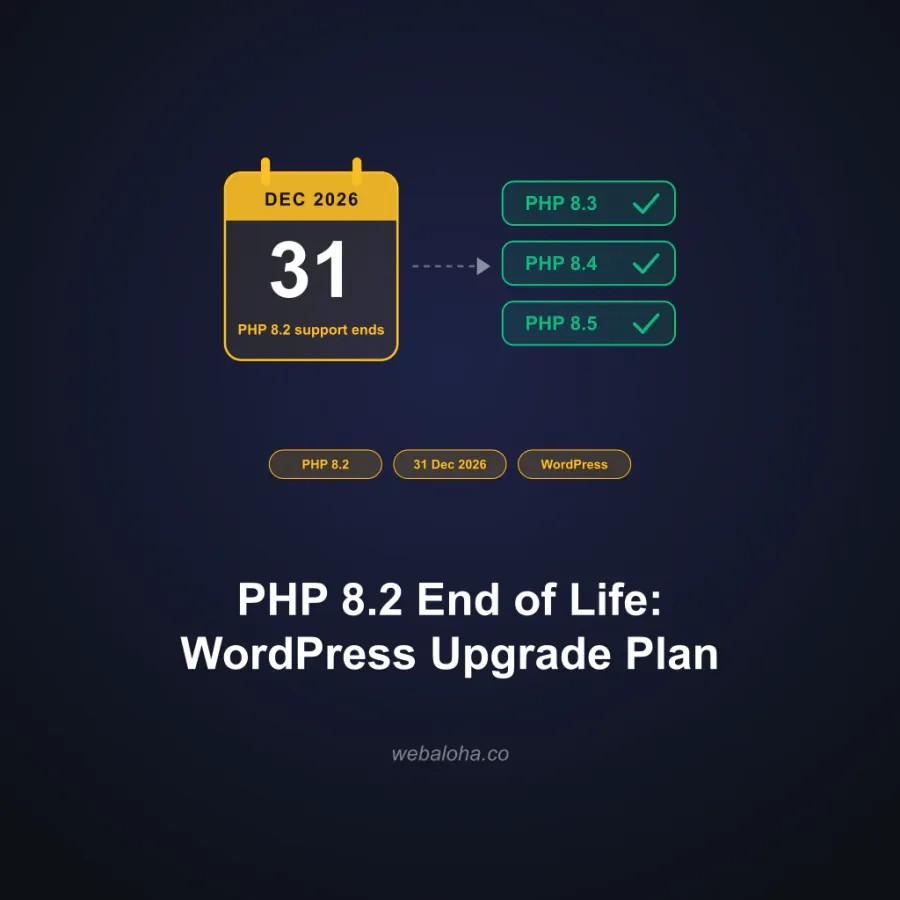
Record the target PHP version, backup restore check, staging results and rollback path. For the dated PHP 8.2 support deadline and planning sequence, read our PHP 8.2 end-of-life guide.
What’s new
-
Site Health plugins now match WordPress.org even when the directory title adds a tagline, as with Yoast SEO: 92 of the 100 most popular plugins match, up from 46.
-
Plugins with no WordPress.org update in over two years are now flagged, and plugins you mark premium, custom or bundled keep that label instead of being looked up on WordPress.org.
-
Core compatibility now follows WordPress’s official table, so WordPress 6.7 with PHP 8.4 counts as supported. Versions the table doesn’t list yet are marked “Not listed yet”.
Next steps
WordPress PHP Upgrade Checker related tools and articles
Continue with the closest follow-up checks and guides based on this tool's topic, crawl intent, and optimization workflow.
WordPress PHP Upgrade Readiness: FAQ
Can this tool prove that my WordPress site is compatible with a newer PHP version?
What should I paste from WordPress Site Health?
Does the Site Health export contain passwords or database credentials?
Why are many plugins marked unknown?
How do I add compatibility evidence for a plugin?
Which PHP version does WordPress recommend in 2026?
Why are staging and a restore-tested backup treated as hard gates?
What should I test after changing PHP on staging?
How is the readiness score calculated?
Can I use this on a WooCommerce or membership site?
How does the checker assess my active WordPress theme?
Free Website Audit
Not sure what to fix first on your own website? We'll review it and tell you, in plain English, within 48 hours. Free and non-obligatory.
Want the PHP Upgrade Tested and Handled Safely?
We audit the full WordPress stack, test critical flows on staging, review logs, complete the production switch, and keep a rollback path ready.