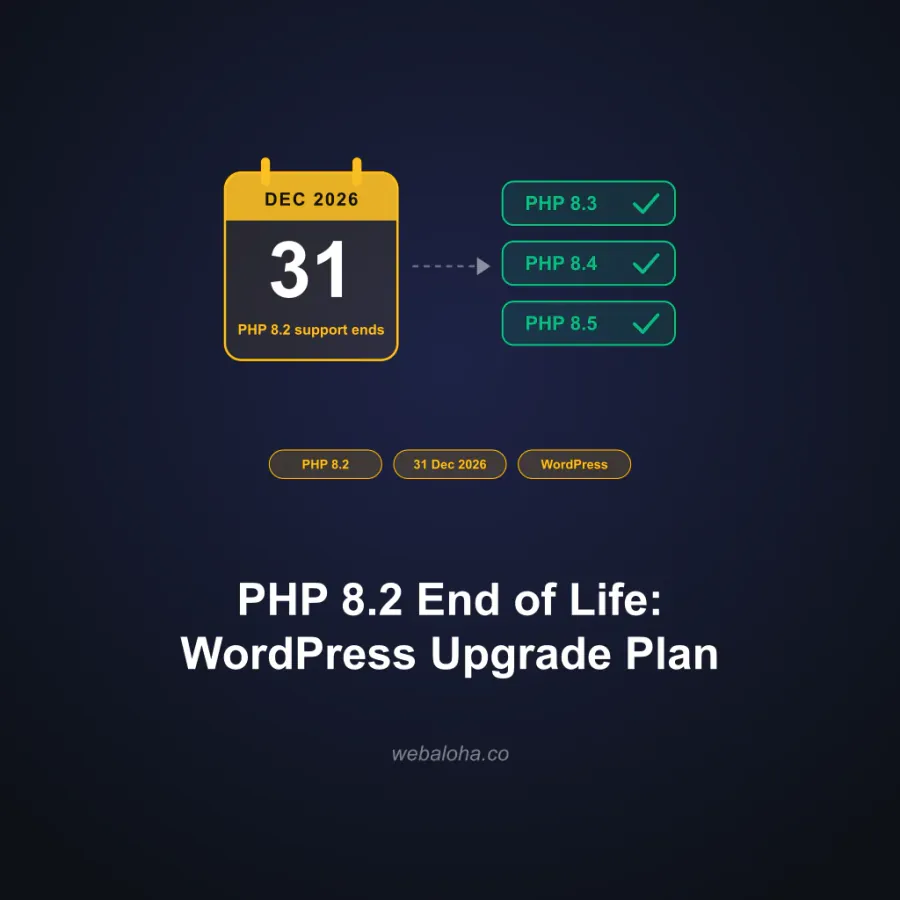
WordPress 7.0 is out. Actually, it has been out since May 20, 2026, and the 7.0.1 maintenance release already followed. Like every major release, it arrived with a familiar question in tow: what PHP version does WordPress 7 need?
Quick answer, straight from the official requirements and the core team’s announcement:
- Minimum PHP version: 7.4 (up from 7.2.24 in WordPress 6.9)
- Officially recommended: PHP 8.3 or newer
- What we actually run: PHP 8.5, the newest stable branch and our recommended PHP version for WordPress in 2026
And because “trust me bro” is not a compatibility test, we did what we always do: upgraded our own managed fleet first. The same real-world websites from our WordPress + PHP 8.5 compatibility tests are now running WordPress 7 with the latest PHP. Zero fatal errors. More on those sites below, with links, so you can verify with our own tools. 😎
WordPress 7.0 Requirements at a Glance
| Requirement | WordPress 7.0 | Notes |
|---|---|---|
| Minimum PHP | 7.4 | Was 7.2.24 in WordPress 6.9. PHP 7.2 and 7.3 are out. |
| Recommended PHP | 8.3+ | Official recommendation. PHP 7.x is end-of-life and risky. |
| Best PHP in practice | 8.5 | Fastest branch, supported until end of 2029. What we run. |
| Database | MariaDB 10.11+ or MySQL 8.0+ | Recommended baseline for performance and security. |
| HTTPS | Required | No longer a nice-to-have. |
Not sure what your site currently runs? Our PHP version checker shows the PHP version of many websites in seconds, and the WordPress version checker tells you whether a site is on WordPress 7 yet.
PHP 7.2 and 7.3 Are Officially Out
WordPress 7.0 dropped support for PHP 7.2 and 7.3. The core team’s reasoning is simple: usage of those versions fell below 4% of monitored WordPress installations, under the project’s usual 5% retirement threshold.
Here is what that means in practice if your site still runs one of them:
- No WordPress 7.0 for you. Sites on PHP 7.2 or 7.3 stay on the WordPress 6.9 branch. Security fixes still arrive there, but new features do not.
- You are running unsupported PHP anyway. PHP 7.3 reached end-of-life back in 2021. No patches, no fixes, just accumulating risk.
- The fix is one upgrade away. Move to PHP 8.3 or newer and the whole problem disappears, along with a nice speed bump.
If the words “upgrade PHP” make your palms sweaty, that’s fair, and it’s literally our day job. Our WordPress maintenance plans handle PHP upgrades on staging first, with backups and a rollback plan, from $49/mo. 🤙
Does WordPress 7.0 Work with PHP 8.5?
Yes. PHP 8.5 support landed in WordPress 6.9, and WordPress 7.0 continues it. The official “minimum recommended” is PHP 8.3, but if your plugins and theme are maintained, PHP 8.5 is the better choice: it is the fastest branch in real benchmarks and stays in active support until the end of 2027, with security patches until the end of 2029.
We did not test this on a fresh install with a default theme, because who needs that? We tested it the same way we tested PHP 8.5 compatibility: on real, actively used business websites and WooCommerce stores that we build and maintain.
WordPress 7 Websites Running on the Latest PHP:
- Gavort: business site, Lithuania
- Wat Pa Tam Wua: multilingual site, Thailand
- Kikoi Connection: organisation’s site, UK
- LLL Wellness: personal site, Indonesia
- Wellington House Repiling: business site, New Zealand
- Scorpio Agencies: business site, New Zealand
- Spetsnaz Security UK: business site, UK
- Balisavana: business site, Indonesia
WooCommerce Stores on WordPress 7:
Don’t take our word for it: run any of these through the WordPress version checker or the PHP version checker and see for yourself. 😏 Curious about the rest of a site’s stack? The WordPress theme and plugin detector reveals that too.
Plugin-wise, the compatibility picture matches what we found in our PHP 8.5 testing: actively maintained plugins (Elementor Pro, WooCommerce, Yoast, LiteSpeed Cache, Wordfence, and the rest of our tested list) made the jump to WordPress 7 without drama. If you build with Elementor, our Elementor and PHP compatibility guide covers that combo in detail.
What Else Is New in WordPress 7.0
This article is about PHP, but “Armstrong” is a big release, so here is the short version of what you get after upgrading:
- A redesigned admin. A sleek new admin theme across the whole dashboard. It takes about a day to stop reaching for menus that moved, then you won’t want to go back.
- Command palette everywhere. Press Cmd+K (or Ctrl+K) and jump to any screen or action. A genuine time-saver once it enters muscle memory.
- AI, officially. A new admin screen for connecting AI providers to your site, plus an API for registering additional ones. WordPress is not bolting AI on through plugins anymore; there’s now a core standard.
- Visual revisions. Compare page versions visually instead of squinting at a diff.
- Client-side media processing. Image resizing and compression now happen in your browser, which takes load off your server.
- PHP-only block registration. Developers can register blocks with auto-generated inspector controls without touching JavaScript. Yes, really.
One thing that did NOT ship: real-time collaboration. It was pulled from 7.0 over concerns about race conditions and server load, and deferred to a future release. Probably for the best; nobody wants their homepage edited like a chaotic Google Doc on day one.
How to Upgrade to WordPress 7.0 Safely
Same battle-tested process we use on client sites:
- Check your PHP first. Below 7.4? Upgrade PHP before anything else, or WordPress won’t even offer you the update. Use the PHP version checker if you’re not sure.
- Update everything else. Theme and all plugins to their latest versions. Check changelogs for “WordPress 7.0 compatible” notes.
- Back up. Full files + database backup, stored somewhere that isn’t the same server.
- Stage it. Create a staging copy, upgrade WordPress there, and click through your real flows: pages, forms, admin, emails, and checkout if you run WooCommerce.
- Watch the logs. Deprecation warnings are fine to note; fatal errors mean stop and fix before production.
- Upgrade production during low-traffic hours, then take PHP to 8.5 (also staged first) if you haven’t already.
- Verify after. A quick pass with the broken link checker and meta tag checker catches anything that went sideways.
Want the upgrade done for you, without the science experiment? WordPress 7 + PHP 8.5 upgrades are part of our WordPress maintenance plans, from $49/mo: staging, backups, rollback plan, zero drama. Or just get in touch with Web Aloha. 🤙
Summary: WordPress 7.0 and PHP in 2026
WordPress 7.0 “Armstrong” raised the PHP floor to 7.4, officially recommends PHP 8.3 or newer, and runs beautifully on PHP 8.5, which is what we recommend and run on our managed fleet. If you’re on PHP 7.2 or 7.3, you’re now locked out of new WordPress features entirely, so that upgrade stopped being optional.
For the deeper PHP story, see our recommended PHP version for WordPress guide and the PHP 8.5 compatibility tests this article builds on. Everything WordPress + PHP related lives in our WordPress Hub.
And if these yearly upgrade rituals have you side-eyeing WordPress itself, a WordPress to Astro migration removes PHP from the equation entirely. We build both, so you’ll get an honest recommendation either way.
WordPress 7.0 & PHP: FAQ
What PHP version does WordPress 7.0 require?
WordPress 7.0 requires PHP 7.4 as the minimum, up from PHP 7.2.24 in WordPress 6.9. The officially recommended version is PHP 8.3 or newer. Our own recommendation for maintained sites is PHP 8.5: it is the newest stable branch, the fastest, and it has the longest support runway. We run WordPress 7 with PHP 8.5 on our managed client sites.
Is WordPress 7.0 compatible with PHP 8.5?
Yes. We have been running WordPress 7 with PHP 8.5 on real client websites and WooCommerce stores since the 7.0 release, with zero fatal errors. PHP 8.5 support landed in WordPress 6.9, and WordPress 7.0 continues it. As always, the realistic risk is outdated plugins or abandoned custom code, not WordPress core.
What happens if my site still runs PHP 7.2 or 7.3?
Your site will not receive the WordPress 7.0 update. WordPress dropped PHP 7.2 and 7.3 support in 7.0 because usage fell below 4% of installations. Sites on those PHP versions stay on the WordPress 6.9 branch, which still receives security fixes, but you are cut off from new features until you upgrade PHP. Both versions have been end-of-life for years, so upgrade PHP first, then WordPress.
When was WordPress 7.0 released?
WordPress 7.0 “Armstrong” was released on May 20, 2026, after being pushed back from the original April target. The first maintenance release, WordPress 7.0.1, followed in July 2026. As of mid-2026, WordPress 7.0.1 is the latest stable version.
Does WooCommerce work with WordPress 7.0?
Yes. Up-to-date WooCommerce stores run fine on WordPress 7.0. We manage WooCommerce stores that are already on WordPress 7 with PHP 8.5, including multilingual stores with Stripe, PayPal, and Klarna. Update WooCommerce and your payment plugins first, test checkout on staging, then upgrade production.
Should I upgrade to WordPress 7.0 now?
Yes, if your stack is ready. The 7.0.1 maintenance release has already cleaned up the early rough edges, and staying current is the best security posture. Update your theme and plugins first, verify your PHP version is at least 8.3 (ideally 8.5), test on staging, and then upgrade. If you rely on abandoned plugins, sort those out before touching anything.
What is new in WordPress 7.0 besides PHP changes?
WordPress 7.0 ships a redesigned admin interface, a command palette opened with Cmd+K or Ctrl+K, a new admin screen for connecting AI providers plus an API for registering them, visual revisions for comparing page versions, client-side media processing in the browser, and PHP-only block registration for developers. Real-time collaboration was pulled from the release and deferred to a future version.
Do I need to upgrade PHP before installing WordPress 7.0?
Only if you are below PHP 7.4, since WordPress will not offer you the 7.0 update otherwise. If you are on PHP 8.x already, the usual safe order still applies: update WordPress core, theme, and plugins first, then raise PHP to 8.5 on staging, test, and roll out to production.