WordPress recommends PHP 8.3 or greater. For a maintained site on WordPress 6.9 or later, test PHP 8.5 first; use PHP 8.4 if a plugin, theme, integration, or host is not ready for 8.5. Keep PHP 8.3 temporarily when it is security-supported and a documented dependency blocks the upgrade.

Running WooCommerce? Its server requirements ask for PHP 8.3 or greater and say WooCommerce is tested up to PHP 8.4. PHP 8.5 is not on that list yet (checked 17 October 2026), so on a store your own staging run is the 8.5 test: go through the full checkout and keep 8.4 as the fallback.
That is our selection rule, based on the official WordPress requirements and core compatibility matrix, checked 2 October 2026. Core support alone does not certify your complete site.
| Your situation | Candidate to test | Before going live |
|---|---|---|
| WordPress 6.9+; maintained plugins and host support 8.5 | PHP 8.5 | Verify forms, checkout, jobs, logs, and rollback on staging |
| WordPress 6.7+; an 8.5 dependency is not ready | PHP 8.4 | Record the blocker and test the same critical journeys |
| A supported site cannot yet pass on 8.4 or 8.5 | PHP 8.3 temporarily | Check upstream security support, assign the blocker, and set a review date |
| Old core, abandoned plugins, or a failing checkout | Resolve the dependency first | Back up, update on staging, and prove recovery before changing production |
Start with our PHP upgrade readiness checker to record the compatibility and recovery checks for your site.
Already know your target? Jump to the PHP 8.5 compatibility guide, PHP 8.4 checklist, or the upgrade test matrix below. If you need help testing and rolling out the change, our WordPress care service covers compatibility checks and rollback planning.
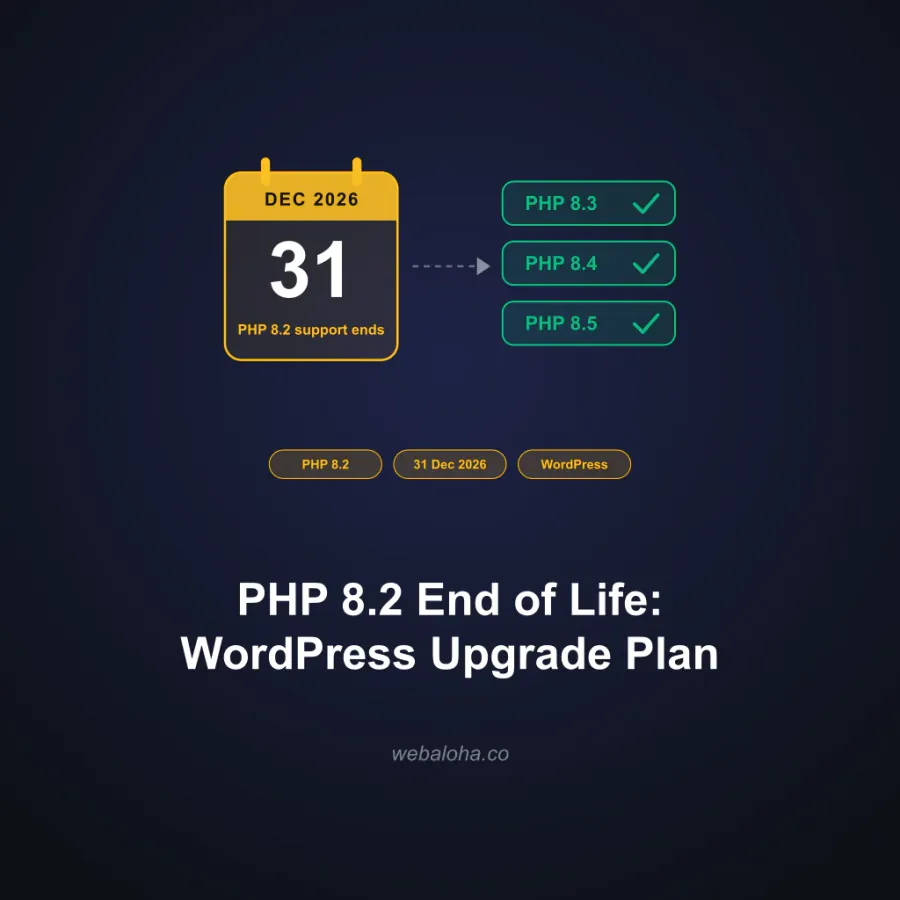
Still on PHP 8.2? Its security support ends on 31 December 2026, and our PHP 8.2 end-of-life upgrade plan walks through the move step by step.
PHP 8.3 vs 8.4 vs 8.5 at a glance
All three branches are supported by WordPress core and still get security fixes from PHP. They differ in how long that lasts, which WordPress version you need, how widely they are used and what they deprecate.
| Detail | PHP 8.3 | PHP 8.4 | PHP 8.5 |
|---|---|---|---|
| Support status | Security fixes only | Active support | Active support |
| Active support until | 31 Dec 2025 | 31 Dec 2026 | 31 Dec 2027 |
| Security fixes until | 31 Dec 2027 | 31 Dec 2028 | 31 Dec 2029 |
| WordPress core support from | WordPress 6.4 | WordPress 6.7 | WordPress 6.9 |
| WooCommerce testing | Tested | Tested | Not listed yet |
| Share of WordPress sites | 26.4% | 9.2% | 3.8% |
| Notable deprecations |
|
|
|
Sources: PHP supported versions (checked 2 October 2026); the WordPress PHP compatibility table (updated 19 August 2026, checked 17 October 2026); WooCommerce server requirements ("PHP version 8.3 or greater (tested up to PHP 8.4)", checked 17 October 2026); WordPress.org PHP usage statistics (17 October 2026); PHP migration guides (checked 17 October 2026). "Not listed yet" means WooCommerce does not list that branch as tested, not that it fails.
The practical difference: PHP 8.3 gets security fixes until 31 December 2027, PHP 8.4 until 31 December 2028 on WordPress 6.7 or later, and PHP 8.5 until 31 December 2029 on WordPress 6.9 or later. The deprecations mostly produce log notices in older plugin code rather than errors, so read the logs on staging before you choose.
Current official baselines
The official pages answer different questions:
| Baseline | What it means |
|---|---|
| PHP 7.4 minimum for WordPress 7.0 and 7.1 | Core can run on it; PHP 7.4 is end of life |
| PHP 8.3+ on WordPress.org | Public hosting recommendation |
| PHP 8.4+ in the Hosting Handbook | Production guidance for hosts, with full-stack testing |
Meeting the minimum does not mean receiving PHP security fixes. Check PHP’s support dates separately.
The WordPress PHP compatibility matrix currently documents these combinations for WordPress 6.0 to 7.1:
| WordPress | PHP 7.416.2% of WordPress sites | PHP 8.03.9% of WordPress sites | PHP 8.110.8% of WordPress sites | PHP 8.223.9% of WordPress sites | PHP 8.326.4% of WordPress sites | PHP 8.49.2% of WordPress sites | PHP 8.53.8% of WordPress sites |
|---|---|---|---|---|---|---|---|
| 7.1 | Yes | Yes | Yes | Yes | Yes | Yes | Yes |
| 7.0 | Yes | Yes | Yes | Yes | Yes | Yes | Yes |
| 6.9 | Yes | Yes | Yes | Yes | Yes | Yes | Yes |
| 6.8 | Yes | Yes | Yes | Yes | Yes | Yes | No |
| 6.7 | Yes | Yes | Yes | Yes | Yes | Yes | No |
| 6.6 | Yes | Yes | Yes | Yes | Yes | No | No |
| 6.5 | Yes | Yes | Yes | Yes | Yes | No | No |
| 6.4 | Yes | Yes | Yes | Yes | Yes | No | No |
| 6.3 | Yes | Yes | Yes | Yes | No | No | No |
| 6.2 | Yes | Yes | Yes | Yes | No | No | No |
| 6.1 | Yes | Yes | Yes | Yes | No | No | No |
| 6.0 | Yes | Yes | Yes | No | No | No | No |
"Yes" means WordPress core supports that PHP branch. Percentages under each PHP version are its share of WordPress sites from WordPress.org statistics on 17 October 2026. Source: the WordPress PHP compatibility table, updated 19 August 2026 and checked 17 October 2026.
Check the live matrix before an upgrade; support status changes over time.
Core compatibility does not certify every plugin, theme, payment gateway, custom snippet, server extension, or hosting control panel.
What about PHP 8.6?
As of 2 October 2026, PHP 8.6 is a pre-release branch. Its official schedule targets 19 November 2026 for the stable release and can change. It is not a production default in this guide. Recheck the stable release, WordPress matrix, host and plugin support before considering it; the release schedule alone proves no compatibility.
A practical selection rule
Consider PHP 8.5 when
- the site runs WordPress 6.9 or later;
- the host supports the branch and its required extensions;
- maintained plugins and themes declare or demonstrate compatibility;
- staging tests, logs, scheduled jobs, and integrations pass;
- production has a tested rollback.
The WordPress and PHP 8.5 article covers that branch and the evidence boundary.
Consider PHP 8.4 when
- the site runs WordPress 6.7 or later;
- one component has not cleared PHP 8.5;
- the host supports 8.4 more maturely;
- the staging result is cleaner on 8.4.
See the WordPress and PHP 8.4 guide for the version-specific checklist.
Stay temporarily on PHP 8.3 when
- it is still security-supported upstream;
- the site cannot yet pass staging on a newer branch;
- a documented dependency blocks the move and has an active remediation plan.
“Temporarily” should include an owner and review date. An unsupported PHP branch should not become permanent because an abandoned plugin is convenient.
The upgrade test matrix
| Area | What to test |
|---|---|
| Public site | Key templates, navigation, search, forms, media, redirects, and error pages |
| WordPress admin | Login, editor, media library, updates, roles, and settings |
| Commerce | Product, cart, checkout, tax, shipping, payment callbacks, emails, and refunds |
| Scheduled work | WP-Cron, queues, imports, backups, and cache invalidation |
| Integrations | CRM, SMTP, analytics, APIs, webhooks, multilingual, and consent tools |
| Diagnostics | PHP and WordPress debug logs, web-server logs, deprecations, fatals, and warnings |
| Recovery | Backup restore and host-level PHP rollback |
A clean homepage is not enough evidence.
Elementor, WooCommerce, and extensions
Treat application compatibility separately from core:
- Elementor PHP compatibility should begin with Elementor’s official requirements and then test the actual add-ons and templates.
- WooCommerce compatibility includes extensions, payment and shipping plugins, subscriptions, and custom code, not only WooCommerce core. WooCommerce’s own server requirements list PHP 8.3 or greater, tested up to PHP 8.4.
- PHP extensions for WordPress should follow the official Hosting Handbook and the site’s real feature set. Enabling every module is not a safety strategy.
- WordPress 7 and PHP covers the core-version boundary; it does not replace full-stack testing.
Verify the current runtime carefully
WordPress Site Health and the hosting control panel are better sources than a remote fingerprinting tool. A public PHP-version checker can only report a version when the server exposes a detectable signal; “unknown” does not mean the site is not using PHP.
Production rollout
- Inventory core, theme, plugins, must-use plugins, extensions, custom code, and integrations. Keep staging payments in sandbox mode and route email and webhooks to test destinations.
- Confirm the target PHP branch in the official WordPress matrix and upstream PHP support table.
- Update maintained components on staging.
- Back up files and database, and test the rollback path.
- Switch staging and run the full matrix above.
- Resolve fatals, warnings, deprecations, and missing extensions.
- Deploy during a monitored window.
- Re-test critical flows and watch logs, jobs, uptime, and transactions.
The recommendation is therefore conditional: use a current, security-supported PHP branch that WordPress supports and your actual stack proves ready for. Prefer evidence over slogans about the “fastest” or “most future-proof” version.
Frequently asked questions
What PHP version does WordPress recommend?
WordPress.org currently recommends PHP 8.3 or greater. That is a baseline, not an instruction to skip compatibility testing for the theme, plugins, custom code, host, and integrations on a specific site.
Should I use PHP 8.4 or PHP 8.5?
Use a PHP branch supported by WordPress and by your full stack. PHP 8.5 can be appropriate for WordPress 6.9 or later; PHP 8.4 is supported by WordPress 6.7 or later. Choose after staging tests and a rollback check.
Is the newest PHP version always best for WordPress?
No. A new supported branch may have a longer upstream runway, but plugins, themes, extensions, hosting tooling, and custom code can lag. The best production version is a supported branch that passes the site's critical tests.
How do I test a PHP upgrade?
Back up the site, reproduce production on staging, update maintained components, switch PHP, test public and admin flows, run scheduled jobs, review logs and deprecations, and confirm a fast rollback before changing production.