PHP released critical security fixes on 21 October 2026 for two vulnerabilities that can let an attacker run code on a web server without logging in. If your business uses WordPress, WooCommerce, Elementor or another PHP application, ask your hosting provider to confirm the fixes are active today. Updating WordPress alone does not update the server’s PHP runtime. PHP’s official advisory urges immediate patching.

Checked after the patch release on 21 October 2026. This guide covers the released fixes, not the earlier advance warning.
At Web Aloha, we work on WordPress and Elementor websites and publish practical PHP version guidance, compatibility checklists and upgrade tools. Elementor’s official system requirements currently link to our Elementor PHP guide in their PHP recommendation. Here is how to turn this security notice into a clear action plan for your site.
What happened: CVE-2026-109618 and CVE-2026-109619
The PHP project announced an upcoming critical release on 20 October and published patches on 21 October. Its two advisories describe different memory-handling problems:
| Vulnerability | What it means in plain language | Official advisory |
|---|---|---|
| CVE-2026-109618 | PHP can mishandle partially initialized request data after running out of memory. | RCE via OOM corruption |
| CVE-2026-109619 | Internal state left over from an earlier request can refer to memory that has already been freed. | RCE via stale global state |
Both advisories rate the issue critical, CVSS 4.0 9.2. Remote code execution means an attacker may run code with the permissions of the PHP web worker. Depending on those permissions and the application, that can put website files, accessible data and availability at risk. Finding an affected version does not by itself establish that a site has been compromised.
Which websites and PHP versions are affected?
PHP’s release notice says all PHP installations serving web requests are at risk before patching, including PHP-FPM, Apache with mod_php, php-cgi, FrankenPHP and LiteSpeed. It identifies mod_php as the highest risk, with an attack demonstrated before application code runs. A WordPress security plugin therefore cannot replace the runtime fix.
For business owners, the practical question is whether any website, shop, portal, subdomain or old application you operate still runs an unpatched PHP runtime. The CMS brand and a working homepage do not answer that question.
These are the first fixed upstream releases for the two CVEs, as published on 21 October 2026:
| PHP branch in use | Fixed upstream release |
|---|---|
| PHP 8.5 | 8.5.12 |
| PHP 8.4 | 8.4.27 |
| PHP 8.3 | 8.3.36 |
| PHP 8.2 | 8.2.35 |
| PHP 8.1 or older | No new upstream release for these unsupported branches. Ask the vendor about a backported fix and arrange a supported upgrade. |
The patch versions are listed in both PHP advisories above. Later releases containing the fixes are also appropriate. Linux distributions and hosting vendors may apply backported patches without changing the visible version to one of these upstream numbers. Ask for the vendor’s package revision and confirmation covering both CVEs before deciding that an older-looking version is unpatched.
What a WordPress or Elementor owner should do today
1. Ask your host to confirm patching now
Open a hosting support request for every affected account. You can copy this message:
Please confirm whether the PHP runtime serving my website has the fixes for CVE-2026-109618 and CVE-2026-109619. What exact PHP version or vendor package revision is active? If you use backported fixes, please provide the vendor advisory. Please also confirm the update covers all relevant web workers and servers, and that the required restart has completed. If patching is still pending, what is the immediate plan and what exposure controls are in place?
On managed hosting, the provider usually controls PHP packages. Choosing “PHP 8.4” in a panel does not tell you which patch or vendor revision is installed. If you manage the server yourself, follow the package vendor’s security instructions and verify the runtime actually serving web requests.
2. Confirm your PHP version, with the right limits
For a WordPress site you own, open Tools → Site Health → Info → Server. Compare that with the PHP settings for the exact domain in your hosting panel. If you have shell access, remember that php -v reports the command-line runtime, which can differ from the web runtime.
Our free PHP Version Checker is a quick first look at public evidence. It can report a version when the server exposes one. It cannot certify that the security patches are installed, that the site is safe or that no compromise has occurred. A hidden or unknown version is not proof of vulnerability; get confirmation from the host.
3. Apply the patch and test the site
Arrange a current file and database backup and a recovery plan with the host or developer. For a site already on a supported branch, ask for that branch’s security patch promptly. For example, a PHP 8.4 site can receive 8.4.27 without making PHP 8.5 migration part of the same job.
Use staging for a rapid compatibility check where available, then test the critical production flows after the patch is active:
- Public pages, login, administration and media uploads.
- Elementor editing, saving, templates, popups and forms.
- Contact forms, email delivery and connected services.
- WooCommerce cart, checkout, payment callbacks and order emails, where used.
- Scheduled jobs and PHP/server logs for new errors.
The WordPress PHP Upgrade Readiness Checker helps organize compatibility evidence and testing. It is not a vulnerability scanner. Our PHP 8.4, PHP 8.5 and Elementor compatibility guides cover larger branch changes. Do not postpone an available security patch while planning a separate migration.
If the update breaks something, involve the host immediately. A rollback to a vulnerable PHP build reopens the risk; agree on a patched alternative or temporary access restrictions while the compatibility problem is fixed.
4. Escalate if the host cannot patch
Ask for a concrete patching timetable and a plan to reduce exposure in the meantime. CERT-EU’s advisory recommends considering isolation of internet-facing applications when immediate remediation is not possible.
PHP documents configuration measures that reduce particular attack paths, but explicitly says they are incomplete. Have an experienced administrator assess those measures against the actual application. A firewall rule, hidden version header or WordPress plugin is not confirmation that the runtime vulnerability has been fixed.
If you see unexplained file changes, new administrator accounts or other signs of intrusion, raise a suspected security incident with your host. Patching closes the addressed vulnerability; investigating and recovering a compromised site is additional work.
PHP 8.2 still needs an upgrade plan
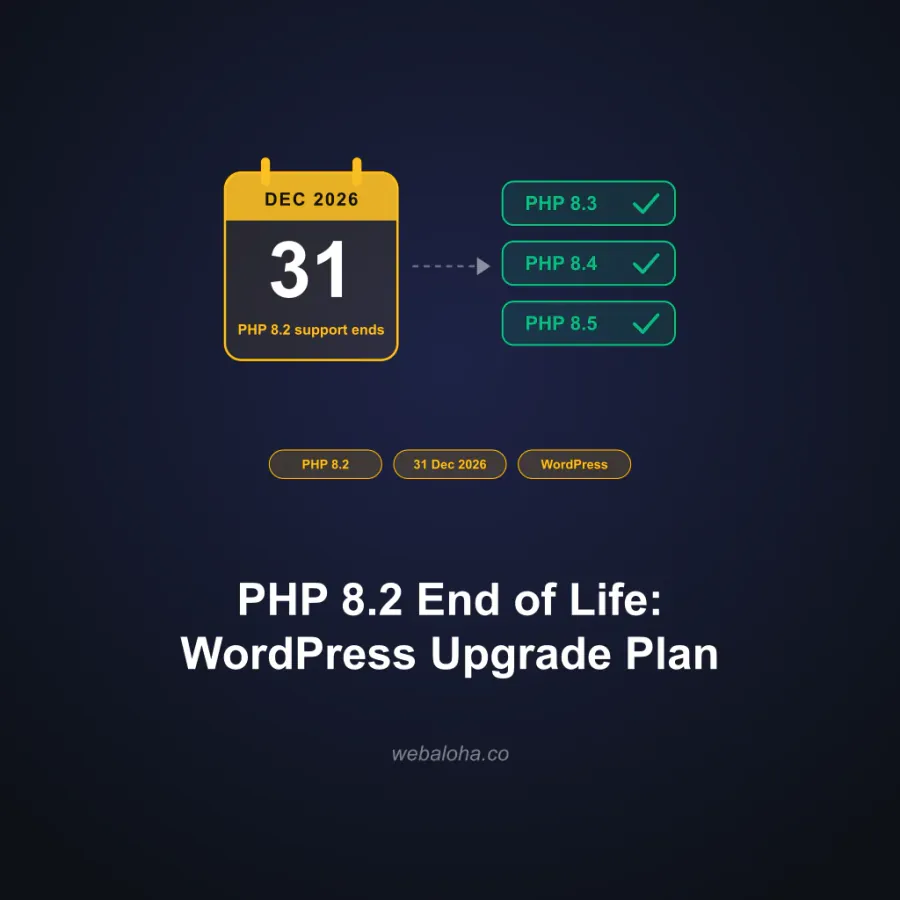
Installing PHP 8.2.35 addresses these two vulnerabilities on the 8.2 branch. It does not extend the branch’s life: upstream security support ends on 31 December 2026, according to PHP’s support schedule.
Patch now, then use our PHP 8.2 end-of-life upgrade plan to choose a newer branch and test the full WordPress stack. Keep the immediate patch and the longer upgrade plan as separate, owned tasks.
Get help with your PHP update
If you would rather have a developer handle the WordPress work, Web Aloha can check your setup, coordinate with your hosting provider, review backup and rollback arrangements, test on staging and check the important site functions after the update.
We reply within 24 hours. For straightforward updates, we aim to complete the work within a few days once the scope and access are agreed. We confirm the scope, price and timeline before starting.
Send your website address, hosting provider and any PHP update notice you received. We will assess the work and provide a fixed quote for the agreed scope. Legacy code changes, abandoned plugins and suspected compromise need their own assessment. One-off remediation is scoped separately from ongoing WordPress care.
Contact your host about immediate patching while we assess the project. Our reply and project timelines should not delay that request.
Frequently asked questions
What are CVE-2026-109618 and CVE-2026-109619?
They are two critical PHP vulnerabilities disclosed with security patches on 21 October 2026. Both can allow unauthenticated remote code execution, and the PHP advisories rate each CVSS 4.0 9.2. They affect the server runtime underneath applications such as WordPress.
Which PHP versions contain the October 2026 security fixes?
The first fixed upstream releases are PHP 8.5.12, 8.4.27, 8.3.36 and 8.2.35. A distribution or hosting vendor may backport the fixes into a package with an older-looking version. Ask for confirmation that its installed package fixes both CVE-2026-109618 and CVE-2026-109619.
Will updating WordPress or Elementor fix these PHP vulnerabilities?
No. WordPress and Elementor updates do not replace the server's PHP runtime. Your hosting provider or server administrator must install the relevant PHP security update, activate it for the affected sites and restart the relevant PHP workers. Keep application updates current too.
Does a supported PHP version mean my website is patched?
No. Support status tells you whether a branch receives fixes. You still need the fixed patch release or a vendor-confirmed backport installed and active. A hosting panel showing only PHP 8.4 or PHP 8.5 is not enough to establish that.
Can an online PHP checker confirm my website is safe?
No. Our checker reports public version clues when a website exposes them. It cannot verify private package revisions, backported fixes, every server behind a proxy or whether a compromise has occurred. An unknown result is not evidence of vulnerability.
Do I need to move from PHP 8.2 to 8.5 immediately?
The immediate upstream security fix for a PHP 8.2 installation is 8.2.35. Apply the available patch promptly with your host while planning a tested move to a newer supported branch. PHP 8.2 reaches end of life on 31 December 2026, so patching today does not remove that upgrade deadline.
Can Web Aloha help with the PHP update?
Yes. We can assess a WordPress or Elementor setup, coordinate with the host, check backups, test the update and verify critical site functions afterward. We reply within 24 hours and confirm scope, price and timeline before starting. Complex legacy work and suspected compromise need a separate assessment. Contact your host about immediate patching while we scope the work.