Technical SEO is the foundation beneath everything else. You can have the best content in your industry, but if search engines cannot properly crawl, index, and render your pages, that content will not rank.
This guide covers the key areas of a technical SEO audit, what to check, what to look for, and how to fix the most common issues.
Worked example: separating a real defect from a passing checklist
In our 5 September 2026 audit of webaloha.co, all 187 sitemap URLs returned 200 with the expected canonical, one H1, a meta description, parseable JSON-LD, and image dimensions. Ten sampled Search Console URL inspections also reported indexed pages. That established those specific checks; it did not establish that every page ranked well or every visitor had a good experience.
A separate browser run at 1440 × 900 found 0.1257 CLS on the tools directory. The search controls started hidden and appeared after initialization, moving the directory. The appropriate fix was to render those controls in their final position from the first HTML response. Adding blank space to every tool result would not address that trigger.
| Finding | Evidence to collect | Action and verification |
|---|---|---|
| Directory moved after load | Layout-shift entries and the affected element | Render controls initially; repeat the same viewport and delayed-script test |
| URL is in the sitemap | HTTP status, canonical and URL Inspection | Confirm they agree; do not equate sitemap inclusion with indexing |
| Many links point to a service | Distinct sources and their HTML location | Separate repeated navigation from useful contextual links |
| Structured data parses | Visible content and the relevant official validator | Fix misleading values as well as syntax |
The CLS number is a dated local lab observation, not a real-user percentile. Keep the initial-load test separate from interaction responsiveness and conversions. For a reproducible link example, download our dated 100-page rendered-build inventory and read its scope and interpretation.
For a platform migration, turn this checklist into a before/after URL inventory. Our WordPress-to-Astro service explains the mapping, staging and cutover deliverables; our Gridinta case study shows dated performance evidence from an actual project.
1. Crawlability
Search engines need access to read page content. A URL can sometimes be indexed from other signals even when crawling is blocked.
Check Your robots.txt
Your robots.txt file tells crawlers what they can and cannot access. A misconfigured robots.txt can accidentally block your entire site.
What to check:
- If a robots.txt file is present, is it served correctly? Its absence is not automatically a defect.
- Are any important pages or directories accidentally blocked?
- Is there a sitemap directive? (
Sitemap: https://yoursite.com/sitemap.xml) - Are AI crawlers handled intentionally? (for example, search controls for OAI-SearchBot and PerplexityBot, separately from training controls)
Test it: Use our Robots.txt Tester to fetch and analyze your robots.txt in one click. To see your page the way a bot does, with JavaScript stripped out, run it through our Spider Simulator.
Common mistake: A staging site setting of Disallow: / that carries over to production, blocking all crawling.
Check for Crawl Errors
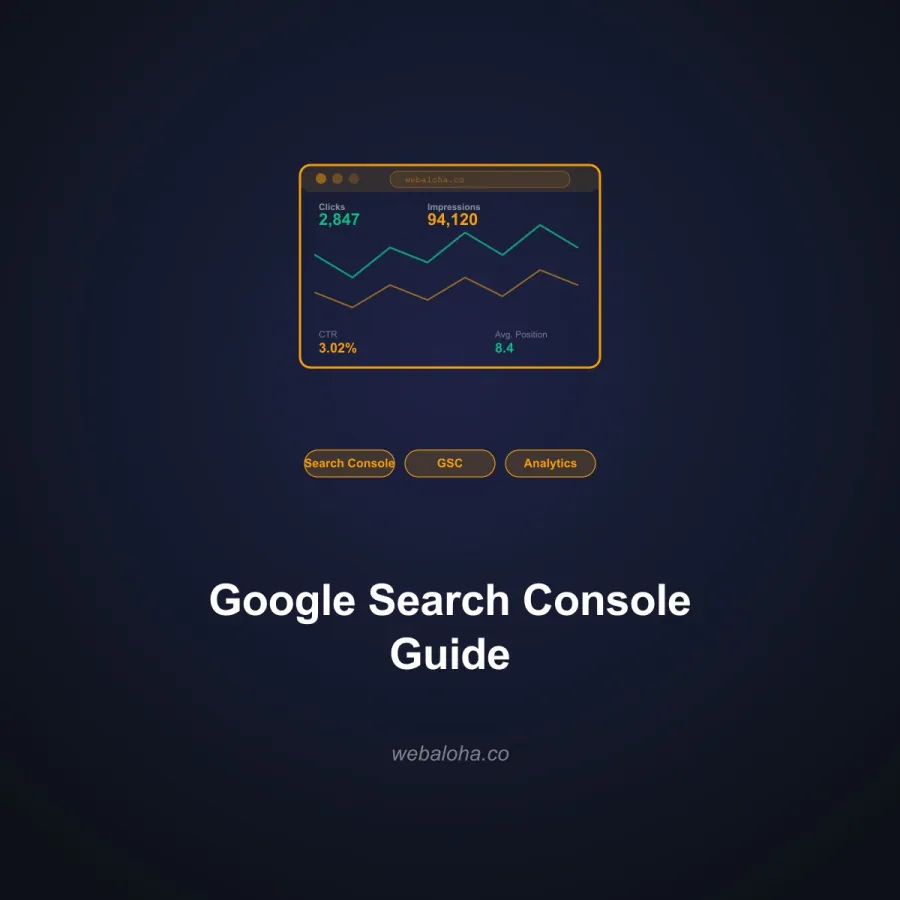
In Google Search Console → Indexing → Pages, look for:
- 404 errors (broken pages)
- Server errors (5xx)
- Redirect errors
- Crawl anomalies
Restore pages removed by mistake or redirect to a genuine replacement. If no replacement exists, a useful 404 or 410 response is appropriate.
Internal Link Structure
Crawlers follow links. Pages with no internal links pointing to them (orphan pages) may not get crawled.
Use our Internal Link Analyzer to identify orphan candidates within a bounded crawl and inspect weak connections. Check the crawl limit, fetched pages, and sitemap coverage before treating a candidate as a confirmed orphan.
2. Indexing
Being crawlable does not guarantee being indexed. Check indexing separately.
Google Search Console Page indexing report
Navigate to Indexing → Pages in Search Console. Review:
- Indexed pages - are all your important pages here?
- Not indexed reasons - “Discovered but not indexed,” “Crawled but not indexed,” “Excluded by noindex”
“Crawled - currently not indexed” reports a state, not a single diagnosis. Inspect the URL, selected canonical, visible content and server behavior before choosing a fix.
Check for Accidental noindex Tags
The noindex meta tag or X-Robots-Tag header tells Google not to index a page. These are sometimes added during development and left in.
Check important pages for: <meta name="robots" content="noindex"> in the HTML head. The noindex rule can also hide in the HTTP response, so confirm the header with our X-Robots-Tag Checker.
Canonical Tag Audit
Canonical tags tell search engines which version of a URL is the “real” one. Misconfigured canonicals can cause important pages to be excluded from the index.
Check with: Canonical URL Checker
Common issues:
- Canonical pointing to a different domain (often a leftover from a migration)
- Non-canonical page ranking instead of the canonical version
- Pages without any canonical tag (let search engines guess incorrectly)
Sitemap Audit
Your sitemap helps search engines discover and prioritize your pages.
What to check:
- Is sitemap accessible and returning a 200 status?
- Does it include all important pages?
- Does it exclude non-indexable pages (404s, noindex pages, redirects)?
- Is it submitted to Google Search Console and Bing Webmaster Tools?
Test it: Sitemap Checker & Validator
Finding more red flags than you expected? Crawlability and indexing problems rarely fix themselves, and they block everything else on this list. Our Free website audit tells you which issues have supporting evidence and which need further investigation, so you fix the right things first.
3. Site Speed and Core Web Vitals
Google uses Core Web Vitals as a ranking signal. These metrics measure real-world page experience. Our Core Web Vitals guide covers each metric in depth and how to diagnose and fix failures.
The Three Core Web Vitals
LCP - Largest Contentful Paint
- Measures: How quickly the largest visible element loads (usually the hero image or main heading)
- Target: Under 2.5 seconds
- Common fix: Compress and properly size images; preload LCP element; use a CDN
INP - Interaction to Next Paint (replaced FID in 2024)
- Measures: How quickly the page responds to user interactions
- Target: Under 200ms
- Common fix: Reduce JavaScript execution time; defer non-critical scripts; optimize event handlers
CLS - Cumulative Layout Shift
- Measures: How much page elements move unexpectedly during loading
- Target: Under 0.1
- Common fix: Set explicit width and height on images and embeds; avoid injecting content above existing content; avoid font swap causing reflow
Test your performance: Website Performance Checker
Quick Speed Wins
- Compress images - use WebP format, compress without visible quality loss
- Use a CDN - Vercel, Cloudflare, and similar services cache static assets closer to users
- Minimize render-blocking resources - defer non-critical JavaScript
- Enable browser caching - set appropriate cache-control headers
- Reduce third-party scripts - analytics, chat widgets, marketing tools all add load time
Failing Core Web Vitals and not sure where to start? Speed is the most technical part of this audit. Our speed optimization service has taken real client sites from a mobile PageSpeed score of 78 to 98, and we show the before/after numbers.
4. Mobile Optimization
Google uses mobile-first indexing. The mobile version of your page is what gets crawled and ranked, even for desktop searchers.
What to check:
- Does the site have a responsive design that works on all screen sizes?
- Is body text readable without zooming? (Minimum 16px)
- Are buttons and links large enough to tap? (Minimum 44x44px touch target)
- Does content fit within the viewport without horizontal scrolling?
- Do pages load acceptably fast on a slow mobile connection?
Test it: Mobile-Friendly Checker
Google retired the Mobile Usability report and Mobile-Friendly Test in December 2023. Use current mobile diagnostics and actual device testing.
5. HTTPS and Security
Google has used HTTPS as a ranking signal since 2014. In 2026, any site not on HTTPS is at a significant disadvantage.
What to check:
- Does the site load over HTTPS (not HTTP)?
- Is the SSL certificate valid and not expired?
- Does HTTP redirect to HTTPS automatically?
- Are there mixed content warnings (HTTPS page loading HTTP resources)?
Check your SSL: SSL Certificate Checker. To catch HTTPS pages that still pull in insecure HTTP assets, run our Mixed Content Checker.
6. Redirect Audit
Redirects are necessary but can cause problems when mismanaged.
What to check:
- Are there redirect chains? (A → B → C instead of A → C) Extra hops add latency and failure points; do not assume a fixed loss of link value per hop.
- Are there redirect loops? (A → B → A) These cause pages to fail entirely.
- Are old URLs properly redirecting to their equivalents? (301 for permanent changes)
- Do 301s use the full destination URL, not relative paths?
Check redirects: Redirect Checker
If you specifically need to see whether a raw IPv4 HTTP request redirects to the preferred hostname, use the IP Canonicalization Test. Treat it as a narrow redirect diagnostic: CDNs, shared hosting, anycast addresses, and providers that do not serve the site on a bare IP can make the result inconclusive.
7. Structured Data (Schema Markup)
Structured data helps search engines understand your content and can earn rich results in search for supported features such as eligible product information and breadcrumbs.
What to check:
- Is schema markup present on key page types? (Articles, FAQs, Services, Local Business)
- Is the schema valid? No errors in Google’s Rich Results Test or our validator?
- Are fields required by the intended supported feature present? Google’s Article fields are recommended, not universally required.
- Is the schema relevant to the actual page content?
Validate: Schema Markup Validator
Google retired FAQ rich results on May 7, 2026. Schema is not a universal AI verification or citation signal; see the evidence boundaries.
8. Duplicate Content
Duplicate content confuses search engines about which page to rank and can dilute ranking signals across multiple similar pages.
Common sources of duplicate content:
- URLs with and without trailing slashes (
/pagevs/page/) - HTTP vs HTTPS versions both accessible
- www vs non-www both accessible
- URL parameters creating duplicate pages (
/page?source=email) - Printer-friendly or mobile versions of pages at different URLs
- Thin or template-generated pages with little unique content
Fix: Canonical tags, 301 redirects, or consolidating thin content pages.
Check for duplicates: Duplicate Content Checker
9. Broken Links
Broken links (404 errors) hurt user experience and waste crawl budget.
What to check:
- Outbound links to external pages that no longer exist
- Internal links to pages that have been deleted or moved
- Images that fail to load (404 images)
Fix: Update links to point to the correct destination. Set up 301 redirects where pages have moved.
Check links: Broken Link Checker
10. Hreflang (International SEO)
If your site serves content in multiple languages or targets multiple countries, hreflang tags tell search engines which version to serve to which audience.
What to check:
- Are hreflang tags present on multilingual/multiregional pages?
- Are they correctly formatted? (
hreflang="en"is valid for English; useen-GBonly when the regional target is intended) - Is there a reciprocal hreflang on each target page?
- Is the x-default version defined?
Generate hreflang tags: Hreflang Tag Generator
Technical SEO Audit Priority Order
Fix issues in this order - highest impact first:
- Crawlability - if pages cannot be crawled, nothing else matters
- Indexing - fix noindex, canonical, and sitemap issues
- HTTPS - security is table stakes in 2026
- Core Web Vitals - especially LCP on key landing pages
- Mobile optimization - preserve content parity and usable interactions
- Schema markup - validate appropriate supported types
- Duplicate content - prevent dilution of your ranking signals
- Broken links - fix the ones affecting important pages first
Quick Technical SEO Audit Checklist
- robots.txt accessible, no accidental broad blocks
- Sitemap submitted to Google Search Console and Bing
- No accidental noindex on important pages
- Canonical tags present and correct on all pages
- Site on HTTPS with valid SSL certificate
- Core Web Vitals passing (LCP < 2.5s, INP < 200ms, CLS < 0.1)
- Mobile responsive with readable text and tappable elements
- Schema markup present and valid on key page types
- No redirect chains or loops
- No significant broken links
- Search crawler controls reviewed separately from training controls
For an expert technical SEO review of your site, our SEO Services include a full technical audit as the first step. If you also want to optimize for AI search alongside traditional SEO, read about GEO vs traditional SEO.
Frequently asked questions
What is a technical SEO audit?
A technical SEO audit is a systematic review of your website's technical infrastructure to identify issues that prevent search engines from properly crawling, indexing, and ranking your pages. It covers areas like crawlability, indexing, site speed, mobile optimization, structured data, canonical tags, and security.
How often should I do a technical SEO audit?
For most small-to-medium business sites, a thorough technical SEO audit once or twice per year is sufficient, combined with ongoing monitoring via Google Search Console. After major site changes - redesigns, migrations, new content systems - run an audit immediately to catch any issues introduced.
What is the most common technical SEO mistake?
Accidentally blocking important pages from being crawled or indexed is one of the most common and damaging technical SEO mistakes. This can happen through overly broad robots.txt rules, incorrect noindex tags, or canonicals pointing to the wrong URL. Another common issue is slow page speed, especially on mobile, which directly affects both rankings and user experience.
Do I need expensive tools for a technical SEO audit?
No. Google Search Console is free and provides the most authoritative data about how Google sees your site. Our free tools cover many technical checks including robots.txt testing, schema validation, canonical URL checking, sitemap validation, and performance testing. For deeper crawl analysis, Screaming Frog's free version covers up to 500 URLs.
What is the difference between crawlability and indexability?
Crawlability is whether search engine bots can access and read a page. Indexability is whether the page can be added to the search engine's index. A page can be crawlable but not indexable (if it has a noindex tag). A page can also be indexed even if it is blocked from crawling in some cases, using other signals. Both need to be checked separately.
How does technical SEO relate to GEO and AI search?
Reliable delivery and intentional search-crawler access support discoverability. Search and training bots have different purposes; OAI-SearchBot supports ChatGPT search while GPTBot concerns training. Passing technical checks does not prove indexing or citations.