Internal linking is one of the highest-leverage, lowest-cost SEO improvements available to any website. Most sites either ignore it entirely or treat it as an afterthought.
Done right, internal linking builds topical authority, distributes ranking signals to your most important pages, and helps both users and search engines navigate your content.
A real internal-link review: Web Aloha
On 2 October 2026, we processed 100 rendered HTML pages from Web Aloha’s staging build, starting at the homepage, against its 234 sitemap URLs. This reproducible offline inventory uses the same occurrence, linking-page and content-source distinctions as our Internal Link Analyzer. It is a build sample, not a live production scan, and unvisited pages are not classified as orphans.
The Astro design page had 275 inbound link occurrences from 84 pages. Only 19 source pages had a link inside main or article content and outside navigation, header, footer and aside. The WordPress migration page had 299 occurrences from 84 pages, with 22 content sources. The technical SEO guide had 15 occurrences from 13 pages, all 13 in content.
The practical distinction: a repeated menu link can inflate occurrences without creating another useful reading path. Even the content-source count includes shared content blocks; inspect the surrounding passage before calling it an editorial recommendation.
Download the dated CSV. The sample was generated from the rendered build with scripts/generate-link-example.mjs. To inspect the live site separately, enter https://webaloha.co/, add its sitemap and keep the 100-page limit. Live counts and discovered pages can differ.
Turn the report into a useful edit
- Choose a page that serves a real reader need. For us, the WordPress migration service belongs in articles about migration scope and implementation.
- Find a passage where that next step fits. A speed-cost article can explain the difference between an isolated fix and a rebuild before linking to the relevant service.
- Give the destination context. “Compare migration scope and cutover checks” tells the reader more than “click here.”
- Rerun the same bounded crawl, review the actual edited passage, and monitor the destination in GSC. A new link is implementation evidence, not proof of a ranking or sales improvement.
What an orphan candidate means
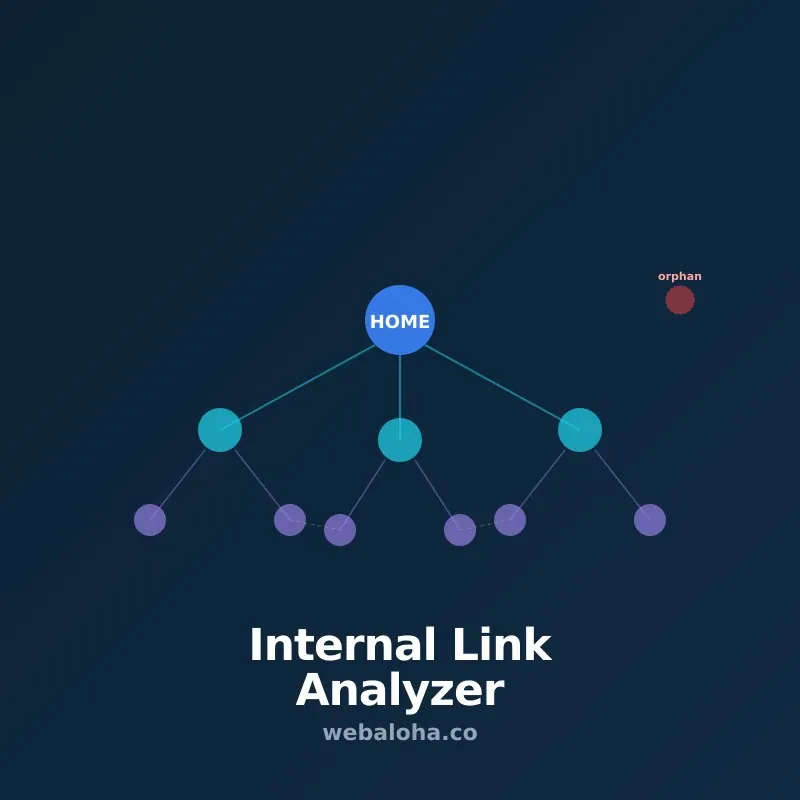
A pasted URL inventory or sitemap can reveal pages the link crawl never discovered. If an inventory URL has zero inbound links from the crawled pages, check that it exists, is canonical and should be indexed. Then check beyond the 100-page sample. Link it from relevant content if it should be discoverable; do not add every historical or intentionally private URL to navigation.
Why Internal Links Matter
Internal links do three important things for SEO:
1. They help search engines discover your pages. Crawlers follow links. A page that no other page links to (an orphan page) may never be discovered or crawled properly, regardless of how good its content is.
2. They distribute authority (PageRank). When an authoritative page on your site links to another page, some of that authority passes through the link. Strategic internal linking points authority toward the pages you most want to rank.
3. They signal topic relationships. A page about “technical SEO” linking to a page about Core Web Vitals tells search engines these topics are related. Over time, this builds the site’s topical authority in that subject area.
For AI search, the same logic applies: a network of interconnected content on a topic signals depth and expertise, which increases citation likelihood.
The Topic Cluster Model
The most effective internal linking structure for modern SEO is the topic cluster model:
- Pillar page - a comprehensive overview page covering a broad topic (e.g., your SEO Services page)
- Cluster pages - detailed articles covering specific subtopics (e.g., on-page SEO checklist, technical SEO audit, keyword research, etc.)
- Linking structure - every cluster page links to the pillar; the pillar links to all cluster pages; cluster pages cross-link where relevant
This structure does several things:
- Concentrates the strongest authority signal on your pillar page
- Signals to search engines that your site covers this topic comprehensively
- Creates clear navigation paths for users looking to go deeper
Our Web Aloha blog uses this structure: the GEO Services page is the pillar; articles like GEO Complete Guide, content optimization for AI citations, and measuring GEO visibility are cluster pages.
Anchor Text Best Practices
The clickable text of an internal link - the anchor text - gives search engines a strong signal about what the destination page covers.
Use descriptive anchor text:
- ✅ “our technical SEO audit guide”
- ✅ “how to optimize images for SEO”
- ❌ “click here”
- ❌ “read more”
- ❌ “this article”
Vary your anchor text naturally. If every internal link to a page uses identical anchor text, it looks unnatural. Use variations: “internal linking strategy,” “internal links for SEO,” “how to use internal links” - all pointing to the same page.
Match the destination. Anchor text should accurately describe what the reader will find when they click. Do not use “fast page speed” as anchor text for a page about schema markup.
How to Find Internal Link Opportunities
For new content: As you write, think about existing pages this new piece should link to. Write a list of related pages before you start and look for natural places to reference them.
For existing content: Review older articles and look for:
- Mentions of topics you now have dedicated pages for (add a link)
- Pages that cover similar topics that should reference each other
- Pages that rank well and could “pass authority” to pages you want to boost
Use our Internal Link Analyzer to run a bounded crawl of your site and map which pages link to which. It is designed for a site section or manageable crawl set, not as a single-page link checker or a substitute for a complete enterprise crawl.
Identifying and Fixing Orphan Pages
An orphan page has zero internal links pointing to it. These are common on sites that have grown organically over time - old blog posts, service pages added and forgotten, tools never promoted in the nav or content.
How to find orphan pages:
- Get a list of all your indexed pages (from sitemap or Google Search Console)
- Crawl your site with Screaming Frog or our Internal Link Analyzer
- Compare indexed pages to linked pages - the difference reveals orphans
Fix by: finding 2-3 relevant existing pages where a contextual link to the orphan page makes sense. Add the links naturally within the content.
Strategic Authority Distribution
Not all pages on your site are equally important. Your most commercially valuable pages - service pages, landing pages, key product pages - should receive more internal links than throwaway tag or archive pages.
High-value pages that deserve more internal links:
- Core service pages (SEO Services, GEO Services, Web Design Services)
- High-converting landing pages
- Pages targeting your most competitive keywords
Tactics to increase internal links to key pages:
- Add contextual links from your most-visited blog posts
- Include the page in sitewide navigation if appropriate
- Add a “Related Services” section to relevant content pages
- Create new cluster content specifically designed to support the pillar
The Navigation Hierarchy
Beyond contextual in-content links, your navigation structure is itself an internal linking system.
Best practices:
- The most important pages should be in the main navigation (header)
- Secondary important pages in the footer
- Related content links within article content
- Breadcrumb navigation helps both users and search engines understand page hierarchy
Add BreadcrumbList schema to reinforce the hierarchy signals from your navigation structure.
Common Internal Linking Mistakes
Too many links on a page. Pages with hundreds of links dilute the value of each one. Focus on the most relevant, highest-value links.
All links in the footer or sidebar. Contextual in-content links carry more weight than navigation links. Do not rely only on footer links to drive internal authority.
Generic anchor text everywhere. “Click here” and “read more” waste an opportunity to signal topic relevance.
Linking to the wrong URL. Linking to a non-canonical URL (with UTM parameters, session IDs, or www/non-www inconsistency) can split authority across URL variants.
No links to new content. Every new page you publish should immediately receive at least 2-3 internal links from existing relevant pages.
Quick Internal Linking Checklist
- Every page has at least 1-2 internal links pointing to it
- No orphan pages in the site
- Pillar pages link to their cluster articles and vice versa
- Anchor text is descriptive, not generic
- High-value pages receive more internal links than low-value pages
- New content gets internal links added from existing relevant pages
- Breadcrumb navigation in place and using correct schema
Internal linking works best as part of a complete SEO strategy. Read our on-page SEO checklist for the full picture of on-page optimization, our technical SEO audit guide for the infrastructure side of SEO, and our SEO competitor analysis guide to understand how competitors use internal links to their advantage.
Frequently asked questions
What is internal linking in SEO?
Internal linking is the practice of linking from one page on your website to another page on the same website. In SEO, internal links serve two main purposes: they help search engines discover and understand the relationships between your pages, and they distribute link authority (PageRank) from stronger pages to pages you want to rank better.
How many internal links should a page have?
A good rule of thumb is 3-5 contextual internal links per 1,000 words of content. More important than quantity is context - every internal link should be placed where it genuinely helps the reader, with descriptive anchor text that describes the destination page. Avoid forcing links in awkward places just to hit a number.
What is anchor text and why does it matter for internal links?
Anchor text is the clickable text of a link. For internal links, descriptive anchor text helps both users and search engines understand what the destination page covers. 'Internal linking strategy' is better anchor text than 'click here' or 'read more.' Vary your anchor text naturally - exact-match anchor text on every internal link looks unnatural.
What is a topic cluster in SEO?
A topic cluster is a content structure where a comprehensive 'pillar' page covers a broad topic, and multiple related 'cluster' articles cover specific subtopics. All cluster pages link back to the pillar, and the pillar links out to cluster pages. This structure signals topical authority to search engines and helps AI systems understand your site's depth of coverage.
What is an orphan page in SEO?
An orphan page is a page on your site that has no internal links pointing to it. Search engines discover most pages by following links - an orphan page may not be crawled or indexed properly, even if it has strong content. Every page on your site should have at least one internal link pointing to it.
Do internal links affect AI search visibility?
Internal links help people and crawlers discover related pages and understand their context. This can support access to useful sources, but it does not establish that an AI system will cite the page. Measure observed citations separately from link coverage.