If your business is not showing up in Google, you are losing customers every day to competitors who are. SEO for small businesses is the process of making your website visible when people search for what you sell. It does not require a big budget or a technical background. It requires a clear plan and consistent effort.
This guide covers everything a small business owner needs to know to get started: what SEO actually is, which parts matter most, common mistakes, and a realistic roadmap from zero to ranking. If you want a professional to handle it, our SEO Services team works with small businesses across industries.
What Is SEO and Why Should Small Businesses Care?
Search Engine Optimization is the practice of making your website rank higher in search results for queries relevant to your business. When someone in your city types “best accountant near me” or “emergency HVAC repair,” visible, relevant results have an opportunity to earn the visit.
The opportunity depends on relevant demand, competition and whether visitors become suitable customers. There is no universal click share, local-search percentage or ROI that applies to every small business.
A useful organic page can continue attracting visits after publication, but content maintenance and competition still have costs. Use your own Search Console data and contribution-margin scenario to decide what investment makes sense.
How Google Actually Decides Who Ranks
Understanding Google’s logic helps you avoid wasted effort. Google uses crawlers to discover and fetch pages, but does not crawl or index every URL. It selects pages for its index and ranks them based on hundreds of signals. The core signals that matter most for small businesses are:
Relevance: Does your page clearly address what the searcher is looking for? Google matches search intent, not just keywords.
Authority: Do other reputable websites link to yours? Links function as votes of confidence.
Page Experience: Does your site load fast, work on mobile, and feel trustworthy? Google measures Core Web Vitals and security signals.
E-E-A-T: Experience, Expertise, Authoritativeness, and Trustworthiness. Google increasingly weights whether the content comes from someone who genuinely knows the subject.
Local Signals: For location-based searches, Google factors in your Google Business Profile, reviews, proximity, and local mentions.
The 5 Pillars of Small Business SEO
1. Keyword Research
Every SEO strategy starts with knowing what your customers are actually searching for. Many business owners optimize for the terms they would use, not the terms their customers type.
Start with your core services and add specificity:
- Instead of “accounting,” target “small business accountant in [city]”
- Instead of “web design,” target “affordable web designer for restaurants”
- Instead of “plumber,” target “emergency plumber [city] 24 hour”
Types of keywords to target:
- Transactional: Ready-to-buy intent (“hire SEO agency [region],” “web design quote”)
- Local: Location-modified (“dentist in [city],” “best coffee shop [city]”)
- Informational: Research phase (“how long does SEO take,” “do I need a website”)
- Comparison: Evaluating options (“SEO vs Google Ads,” “Wix vs custom website”)
Use our free Keyword Generator for keyword ideas; validate demand separately with suitable data. For a full walkthrough, see our guide on How to Do Keyword Research.
2. Technical SEO
Technical SEO is the foundation. If Google cannot crawl or index your site, nothing else matters. The good news: for most small business websites, the technical checklist is short.
Core technical requirements:
- HTTPS: Your site must use a secure SSL certificate (the padlock icon in the browser)
- Mobile-friendly: Test the actual page on small screens with touch, keyboard and zoom. Google retired its Mobile-Friendly Test and Mobile Usability report in December 2023; see the current testing options.
- Page speed: Review field Core Web Vitals where available and use lab tests to diagnose loading, responsiveness and layout movement.
- XML sitemap: Submit one through Google Search Console to support URL discovery; submission does not guarantee indexing
- No broken links: Broken links hurt both user experience and crawlability. Check with our Broken Link Checker
- Correct indexing: Make sure your important pages are not accidentally blocked from Google. Use the Google Index Checker for a live technical pre-check, then confirm index status in Search Console
For a full technical audit process, see our Technical SEO Audit Guide.
3. On-Page SEO
On-page SEO means optimizing the content and HTML of each individual page. This is where most small businesses have the most room to improve quickly.
Title tags and meta descriptions: Write unique, descriptive titles and accurate page summaries. Character counts are drafting conventions; Google may change the displayed text, and CTR effects depend on the search context. Check your meta tags.
Heading structure: Use one H1 per page (the main topic). Use H2s for major sections, H3s for subsections. Your primary keyword should appear in the H1. Check your headings with the Heading Checker.
Content quality: Write content that actually answers the searcher’s question. Short paragraphs, clear language, relevant examples. Thin or vague content ranks poorly.
Images: Meaningful images need appropriate alternatives; decorative images generally use empty alt text. Compress images before uploading. Descriptive filenames help too. Our Image SEO Guide covers this in full.
Schema markup: Structured data helps Google understand your content and can trigger rich results (supported product or business information; Google retired FAQ rich results on May 7, 2026). Use our Schema Markup Validator to check your pages. Learn more in What Is Schema Markup and Why It Matters for SEO.
Internal links: Link between related pages on your own site to help Google understand your content structure. See our Internal Linking Strategy guide for the full approach.
For a detailed checklist of every on-page element, see the On-Page SEO Checklist for 2026.
4. Local SEO
For any business serving a local area, local SEO is the highest-priority channel. It is what puts you on the map (literally) when nearby customers search.
Google Business Profile (GBP): Claim and fully complete your listing. Add your correct NAP (name, address, phone), business hours, photos, services, and a keyword-rich description. This is free and directly influences the “Local Pack” (the map results with 3 listings that appear at the top of many local searches).
Review generation: Ask satisfied customers to leave Google reviews. Respond to every review, positive or negative. Volume and recency of reviews are strong local ranking signals.
NAP consistency: Your business name, address, and phone number must be identical across Google, Yelp, Facebook, Bing Places, and every other directory. Inconsistencies confuse Google and suppress local rankings.
Local content: Create pages and blog posts targeting your service areas. “Web Design Services in [city]” is more powerful than a generic services page.
Our Local SEO Services team specializes in exactly this for businesses across different markets.
5. Off-Page SEO and Link Building
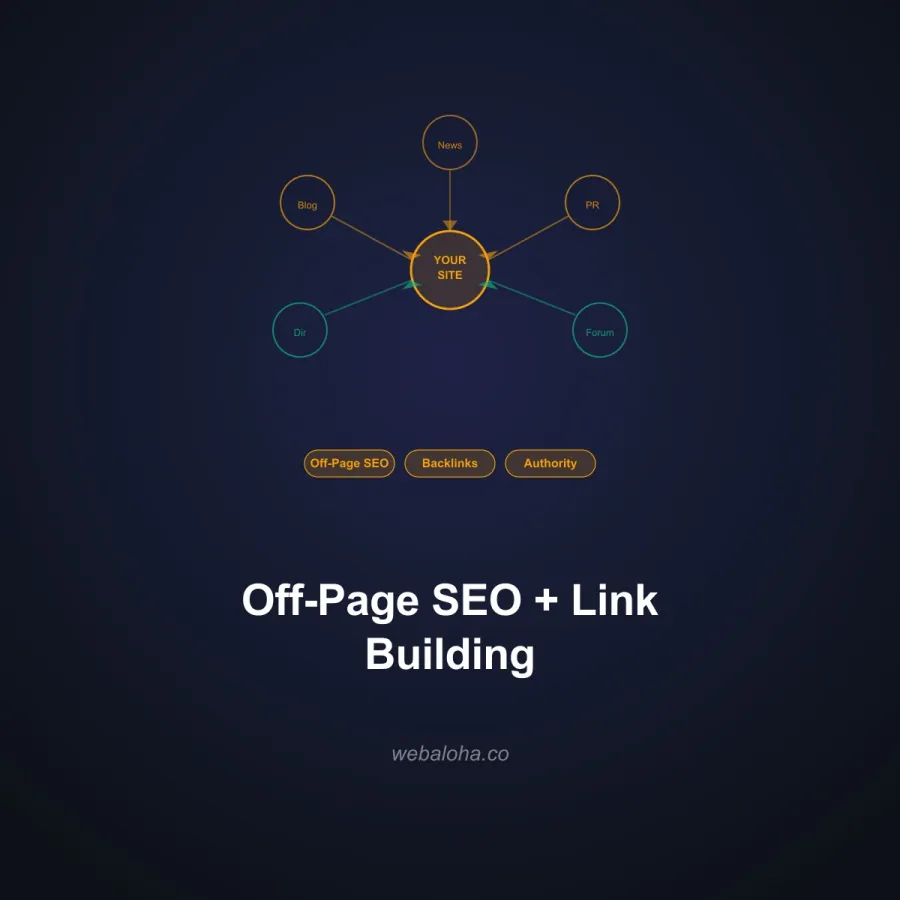
Backlinks (links from other websites pointing to yours) remain one of Google’s strongest ranking signals. For small businesses, quality beats quantity.
How to earn links:
- Get listed in industry directories and local business associations
- Write guest posts for local news sites, industry blogs, or chambers of commerce
- Partner with complementary businesses for cross-linking
- Create genuinely useful free tools or resources that others naturally link to
- Sponsor local events or charities (often results in a link from their website)
Avoid buying links or participating in link schemes. Google’s spam detection has become very sophisticated, and penalties can wipe out all your organic traffic.
Full strategies are covered in our guide: Off-Page SEO: Link Building Strategies.
Your SEO Roadmap: Month-by-Month Plan
This is an illustrative delivery and review schedule, not a forecast of rankings or leads. Adjust it to the site, available resources and customer buying cycle.
| Phase | Focus | Key Actions | Evidence to Review |
|---|---|---|---|
| Months 1-3 | Foundation | Technical audit and fixes, keyword research, optimize existing service pages, set up Google Search Console and Analytics, claim and complete Google Business Profile | Delivered fixes, profile accuracy and priority URL indexing states |
| Months 3-6 | Content and Local | Publish 4-6 targeted blog posts, build local citations and directory listings, start review generation campaign, add schema markup to key pages | Relevant query-page visibility and accurate local results |
| Months 6-9 | Authority | Pursue backlinks (guest posts, partnerships, local press), refresh and expand top-performing content, answer genuine customer questions, pursue featured snippet opportunities | Qualified enquiries and whether changes meet the agreed objectives |
| Months 9-12 | Scale | Expand to new keyword clusters, build topic authority with content hubs, increase link acquisition, optimize conversion rate on landing pages | Contribution margin and cost per qualified opportunity, compared with alternatives |
| Month 12+ | Review | Target high-competition head terms, pursue PR and editorial links, expand to adjacent services, maintain and refresh existing content | Decide whether to expand, maintain, change focus or stop |
For a deeper look at realistic timelines, read How Long Does SEO Take?
DIY SEO vs Hiring a Professional
The budget ranges below are illustrative planning assumptions, not a measured market average or Web Aloha quote. Compare the actual scope and current offer before purchasing.
One of the most common questions from small business owners: should you do SEO yourself or hire someone?
| Factor | DIY SEO | Freelancer | SEO Agency |
|---|---|---|---|
| Monthly cost | $50-150 (tools) | $500-1,500 | $1,500-5,000+ |
| Time required | 5-10 hrs/week | 1-2 hrs/week | 30-60 min/month |
| Expertise needed | High (learning curve) | Low | Low |
| Speed of results | Slower | Moderate | Faster |
| Consistency | Depends on owner | Moderate | High |
| Best for | Solopreneurs, very tight budgets | Small businesses with niche needs | Businesses serious about growth |
| Risk | Mistakes slow you down | Quality varies widely | Low with a vetted agency |
Choose based on available time, skills and scope. DIY can suit a bounded task; a specialist can help with more complex work but cannot guarantee outcomes. Assess the cost using the SEO value scenario.
7 Common SEO Mistakes Small Businesses Make
1. Targeting keywords that are too broad. Ranking for “dentist” is nearly impossible. “Dentist accepting new patients in [city]” is realistic and converts better.
2. Ignoring the technical foundation. A beautiful website that loads slowly or is not indexed by Google gets zero organic traffic. Fix the foundation first.
3. Publishing thin or duplicate content. Create the page that answers the customer’s question; length alone does not establish quality.
4. Skipping meta tags. Missing or duplicated title tags are one of the most common and easiest-to-fix SEO problems. Run a Meta Tag Checker audit on your site.
5. Forgetting internal links. Your own site is your best link-building asset. Link from blog posts to service pages, from service pages to related content. See the Internal Linking Strategy guide for details.
6. Assuming a fixed deadline. Agree on review milestones and a spending limit. Neither stopping after eight weeks nor continuing for twelve months determines whether a campaign will pay off.
7. Not tracking the right metrics. Vanity metrics like total impressions mean little. Track organic leads, conversion rate from organic traffic, and ranking positions for your target keywords.
The Role of Content in Small Business SEO
Content is the engine that drives long-term organic growth. Every blog post or guide is a new entry point into your website from a different search query.
What content to create first:
- Core service pages (one per service, fully optimized)
- Location pages if you serve multiple areas
- FAQ or “how it works” pages for your industry
- Comparison content (“us vs. competitors,” “service A vs. service B”)
- Educational blog posts targeting questions your customers ask
Quality matters more than quantity. Choose depth and publishing frequency around the question and your evidence; no word-count quota guarantees performance. Our SEO copywriting guide covers the full process.
For a deeper look at how trust and credibility affect your rankings, see our guide on E-E-A-T: What It Is and How to Prove Expertise.
GEO: The New SEO Frontier
AI search is another discovery surface worth measuring when it matters to your customers. It does not make established SEO obsolete. Google says existing SEO practices apply to its AI features, without special AI schema.
Prioritize accurate service information, useful answers, attributable expertise and intentional crawler controls. Record actual citations separately from a technical readiness score. Our tested AI visibility tools comparison shows what different tools can establish; GEO services can scope the work where there is a business case.
Setting Up Your SEO Analytics
You cannot improve what you do not measure. Before you do any SEO work, set up these two free tools:
Google Search Console: Shows which queries bring up your site, which pages are indexed, any crawl errors, and your average ranking positions. The single most important free SEO tool. Our Google Search Console Guide walks through setup and the most useful reports.
Google Analytics 4: Tracks where your traffic comes from, what visitors do on your site, and crucially, which organic visitors convert to leads. Set up conversion events (form submissions, phone call clicks, quote requests) from day one.
Does Your Website Support Your SEO?
SEO brings people to your website. Your website then has to convert them. A poorly designed or outdated website can undermine even excellent SEO results.
Things that hurt both SEO and conversion rates:
- Slow load times (over 3 seconds)
- Poor mobile experience
- No clear calls to action
- Confusing navigation
- Missing trust signals (reviews, credentials, photos)
If your website needs work alongside your SEO, our Web Design Services team builds sites that are fast, conversion-optimized, and SEO-ready from the start.
A Note on Meta Tags
Meta tags, specifically your title tag and meta description, are often the first thing a potential customer sees in search results. They are your first impression. Weak meta tags mean fewer clicks even when you rank well.
For a deep dive into every meta tag that actually influences SEO and click-through rate, see Meta Tags That Actually Matter for SEO.
Ready to Grow Your Organic Traffic?
SEO for small businesses is not complicated, but it does require consistent effort and a clear plan. The businesses that win in search are the ones that start early, execute consistently, and treat SEO as an investment rather than a one-time project.
If you want a team that has done this for dozens of small businesses and knows what actually moves the needle, our SEO Services are built for exactly that. Get my free website audit and a realistic conversation about what SEO can do for your business.
For existing visibility, review exported rows with the GSC Opportunity Analyzer. Compare the same page, query, country and device before diagnosing low CTR; impressions measure recorded visibility, not total demand.
Frequently asked questions
What is SEO for small businesses?
SEO (Search Engine Optimization) for small businesses is the process of improving your website so it ranks higher in Google and other search engines when potential customers search for what you offer. It covers keyword research, on-page content, technical site health, local listings, and earning backlinks. Done well, it delivers consistent organic traffic without ongoing ad spend.
How long does SEO take to work for a small business?
There is no fixed deadline. Separate delivered technical and content work from observed indexing, relevant traffic and qualified enquiries. Set review points around your budget and sales cycle; neither rankings nor return are guaranteed.
How much does SEO cost for a small business?
Cost depends on technical condition, content scope, competition and who does the work. The comparison below uses illustrative budgeting ranges rather than a market survey. Compare a written scope with your expected contribution and available time.
What is local SEO and why does it matter?
Local SEO optimizes your online presence for location-based searches like 'plumber near me' or 'best pizza in [city].' It centers on your Google Business Profile, consistent NAP (name, address, phone) across directories, and earning local reviews. For any business serving a specific geographic area, local SEO often delivers the highest ROI of any SEO tactic.
What are the most important SEO ranking factors for small businesses?
The most impactful ranking factors for small businesses are: content relevance and quality, page experience (speed, mobile-friendliness), backlinks from trusted sites, technical site health (no crawl errors, proper indexing), and for local businesses, Google Business Profile signals including reviews and proximity.
Do I need a blog for small business SEO?
Not necessarily, but content is the most scalable way to capture long-tail search traffic. Service and location pages are the priority. Once those are optimized, a blog targeting customer questions and comparison queries can multiply your organic traffic significantly. Start with 4-6 well-researched posts per year rather than publishing thin content weekly.
What is the difference between SEO and paid search (Google Ads)?
Paid search can bring visits after campaign approval and funding, while organic visibility depends on discovery and selection. Neither guarantees profitable leads. Organic content needs maintenance; compare total costs and contribution over your own buying cycle.
What is keyword research and how do I do it?
Keyword research is the process of finding the exact phrases your target customers type into Google. Start with your core services and add location modifiers. Use tools for related ideas and check which actually provide demand estimates. Our Keyword Generator does not establish search volume. Prioritize keywords with clear buyer intent before informational queries.
What is technical SEO and do small businesses really need it?
Technical SEO ensures search engines can crawl, index, and understand your website. For small businesses, the essentials are: HTTPS (secure site), fast load times, mobile-friendly design, no broken links, proper title tags and meta descriptions, and a submitted XML sitemap. You do not need to be a developer to address most of these issues.
What is GEO and how is it different from SEO?
GEO (Generative Engine Optimization) is the practice of optimizing content to appear as cited sources in AI-powered search tools like ChatGPT, Perplexity, Google AI Overviews, and Bing Copilot. While SEO targets blue-link rankings, GEO targets AI citations. The two overlap heavily but GEO adds emphasis on structured facts, authoritative sourcing, and schema markup.